How to Set Up a Smart Home from Scratch Without Overspending
Learn how to set up a smart home from scratch on a budget with a step-by-step plan for hubs, lighting, sensors, and voice control.
Chief Editor
The secret to a smart home that actually works? Start with three devices, not thirty. Mastery beats chaos every time.
What brought you here today?
Setting up a smart home sounds exciting until you actually try to do it. Between competing ecosystems, confusing protocols, and gadgets that refuse to talk to each other, most people either overspend on the wrong products or give up entirely. The average household that dives into home automation without a plan ends up with a drawer full of abandoned devices and a lingering sense of buyer's remorse. It does not have to be that way. Whether you are renting a small apartment or outfitting a full house, a well-planned approach can give you reliable automation, voice control, and energy savings without draining your bank account. This guide walks you through how to set up a smart home from scratch, covering what to evaluate, which product archetypes solve real problems, and how to get everything running in a single weekend.
The Problem
The smart home market has exploded, and that growth has created a paradox of choice. Walk into any electronics section and you will find dozens of hubs, bulbs, sensors, cameras, and plugs, each promising to be the center of your connected life. The trouble is that many of these products use different wireless protocols, run on different apps, and lock you into ecosystems that do not play well with competitors.
The result is predictable. You buy a smart bulb pack from one brand, a doorbell camera from another, and a voice assistant from a third. Suddenly you are juggling three apps, troubleshooting connection drops, and realizing that your motion sensor cannot trigger your lights because they live on separate networks. Industry surveys consistently show that incompatibility is the top frustration among smart home adopters.
Then there is the cost problem. Flagship smart home bundles can run into the hundreds of dollars before you have automated a single room. Many buyers over-invest upfront, purchasing premium devices for rooms where a simple smart plug would have done the job. A smarter strategy is to start small, pick a unified ecosystem, and expand only when a clear need arises.
What to Evaluate Before You Buy
Hub and Ecosystem
Every smart home needs a central brain. Some ecosystems use a dedicated hub, a small box that sits on your shelf and coordinates all your devices. Others operate hub-free, relying on your Wi-Fi router and a phone app. Hub-based setups tend to be more reliable because they offload traffic from your Wi-Fi network and support low-power protocols like Zigbee and Z-Wave. Hub-free setups are simpler to start with but can bog down your router once you add more than a dozen devices. Before purchasing anything, decide which ecosystem you want to commit to and verify that it supports the Matter standard, which is the emerging universal protocol designed to bridge the compatibility gap across manufacturers.
Protocol Compatibility
Wireless protocol is the invisible layer that determines whether your devices can communicate. Wi-Fi devices are easy to set up but consume more power and crowd your network. Zigbee and Z-Wave use mesh networking, meaning each device strengthens the overall signal, but they usually require a hub. Thread is a newer protocol backed by the Matter standard that combines the mesh benefits of Zigbee with IP-based addressing. When evaluating products, check the protocol listed on the box. Mixing protocols is possible if your hub supports multiple radios, but sticking primarily to one or two keeps troubleshooting simple and reduces latency between triggers and actions.
Lighting
Smart lighting is the most immediately rewarding upgrade. It lets you automate schedules, set scenes for movie nights or morning routines, and control brightness from your phone or voice assistant. Look for bulbs or switches that support dimming, color temperature adjustment, and grouping. Smart switches are generally a better long-term investment than smart bulbs because they work with any standard bulb and do not lose functionality when someone flips the wall switch off. If you rent and cannot replace switches, smart bulbs with reliable hub connectivity are the next best option. Prioritize products that allow local control so your lights still work if your internet goes down.
Security and Sensors
Motion sensors, door and window sensors, and leak detectors add a layer of awareness to your home. They can trigger lights when you walk into a room, send alerts when a door opens unexpectedly, or shut off a water valve if a leak is detected. The key evaluation criteria here are response time, battery life, and integration depth. A motion sensor that takes three seconds to trigger a light is too slow to be useful. Look for sensors that report within 500 milliseconds and offer battery life of at least a year. Also confirm that sensors can participate in automations within your chosen hub rather than only sending notifications to a standalone app.
Voice Control
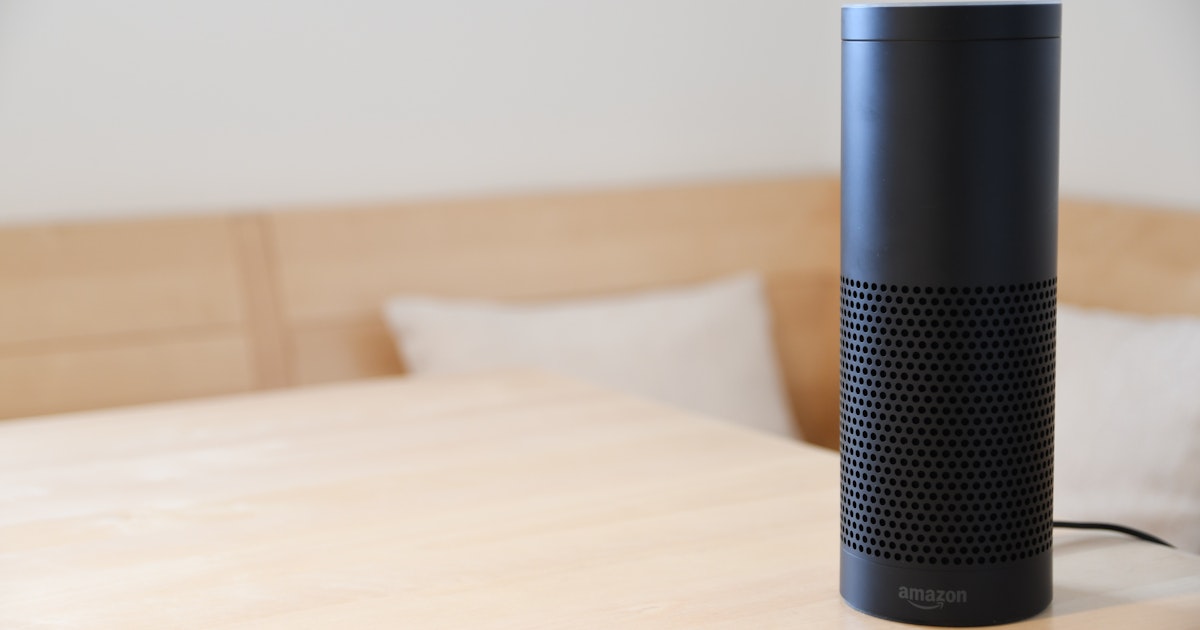
A voice assistant ties the entire system together by giving you hands-free command over every device. The major voice platforms each have strengths: some excel at music and general knowledge, others at device compatibility, and others at privacy. Whichever you choose, verify that it supports routines, which are multi-step automations triggered by a single voice command. For example, saying "goodnight" should be able to lock the doors, turn off the lights, arm the sensors, and set the thermostat. Without routine support, voice control is little more than a novelty. A single voice-enabled speaker in a central location is enough to start; add additional speakers to other rooms only once you confirm the system works the way you want.
Recommended Solutions
OmniLink Starter Kit
OmniLink Starter Kit — a hub-based bundle designed for beginners that includes a multi-protocol hub, two smart plugs, and a motion sensor.
- Supports Zigbee, Thread, and Matter out of the box, giving you broad device compatibility from day one
- Local processing means automations run even without an internet connection
- Compact hub design with low power consumption and silent operation
Drawback: The included smart plugs lack energy monitoring, so you will need to upgrade if tracking power usage matters to you.
Price range: $80 -- $110
EcoSense Motion Pack
EcoSense Motion Pack — a sensor bundle focused on presence detection and environmental awareness, including two motion sensors and one temperature-humidity sensor.
- Sub-300-millisecond response time ensures lights trigger before you finish stepping into a room
- Two-year battery life on standard coin cells keeps maintenance minimal
- Temperature and humidity sensor enables climate-based automations like turning on a fan when humidity exceeds a threshold
Drawback: Requires a compatible Zigbee hub, which is sold separately, adding to the initial cost if you do not already own one.
Price range: $40 -- $60
LumiCore Smart Bulb Set
LumiCore Smart Bulb Set — a four-pack of tunable white smart bulbs that support dimming and color temperature scheduling.
- Warm-to-daylight color temperature range lets you match lighting to your circadian rhythm
- Groups and rooms can be configured in the app so a single command adjusts multiple bulbs simultaneously
- Compatible with all major voice assistants and Matter-certified hubs
Drawback: These are bulbs, not switches, so they lose smart functionality if someone turns off the physical wall switch. Pairing them with a smart switch guard or button cover solves this.
Price range: $35 -- $50
How to Get Started
Start with a single room, ideally the one where you spend the most time. Set up your hub first and connect it to your home network. Update its firmware before adding any devices; manufacturers frequently patch connectivity bugs in early updates. Next, add your smart bulbs or switches to that room and configure basic schedules: lights on at sunset, lights off at bedtime. Test these automations for two or three days to confirm reliability.
Once lighting works consistently, add a motion sensor to the same room. Create an automation that turns on the lights when motion is detected and turns them off after five minutes of inactivity. Adjust the timeout to match your habits. After that, connect your voice assistant and practice basic commands. Set up a morning routine and a bedtime routine, each with two or three actions.
Only after this foundation is solid should you expand to a second room or add new device categories like cameras or leak sensors. This incremental approach keeps costs low, reduces troubleshooting complexity, and ensures that every device you buy actually earns its place in your setup.
Frequently Asked Questions
You can start with Wi-Fi-only devices, and for a handful of smart plugs or bulbs they work fine. However, once you exceed roughly ten to fifteen Wi-Fi devices, you may notice network congestion, slower response times, and occasional disconnections. A hub that supports Zigbee or Thread offloads that traffic onto a separate radio frequency, keeping your Wi-Fi free for phones, laptops, and streaming. If you plan to grow your smart home beyond a single room, investing in a hub early saves you from replacing Wi-Fi devices later.
A functional starter setup covering one room with a hub, a few smart bulbs or a smart switch, a motion sensor, and a voice assistant typically runs between $150 and $250. You can spread this over a few months by starting with just the hub and lighting, then adding sensors and voice control as your budget allows. Avoid the temptation to buy a premium all-in-one bundle upfront; those packages often include devices you do not need yet, and the per-device cost is rarely better than buying components individually on sale.
It depends on your ecosystem. Cloud-dependent systems lose most functionality during an outage because every command routes through a remote server. Hub-based systems with local processing continue to run automations, respond to sensor triggers, and execute schedules without internet access. Voice commands may stop working since speech recognition typically requires a cloud connection, but your timed and sensor-driven automations should keep running. When choosing a hub, look for explicit local processing support in the product specifications.
No connected device is completely immune to security risks, but you can reduce your exposure significantly. Use a strong, unique Wi-Fi password and enable WPA3 if your router supports it. Keep hub and device firmware up to date, as patches frequently address known vulnerabilities. Consider placing your smart home devices on a separate VLAN or guest network so that a compromised bulb cannot access your personal computers. Finally, enable two-factor authentication on any smart home app that offers it.
Final Verdict
Setting up a smart home from scratch does not require a massive budget or an engineering degree. The key is to choose a single ecosystem that supports modern protocols like Matter and Thread, start with one room, and resist the urge to automate everything at once. A hub, a few smart bulbs or switches, a motion sensor, and a voice assistant form a solid foundation that you can expand over time. By evaluating compatibility, response time, and local processing before you buy, you avoid the drawer of abandoned gadgets and build a system that genuinely makes daily life more convenient.
Learn how we evaluate products in this category: Our Technology Testing Methodology
About the author
Chief Editor
The Nanozon Insights team researches, tests, and reviews products across every category to help you make smarter buying decisions.